Showing posts with label Life. Show all posts

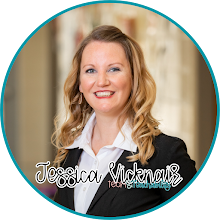
Hi, I’m Jessica.

You may know me as the face behind Tech and Teachability, where I’ve shared teacher tech tips and classroom tools for years. But what you might not know is that my journey hasn’t just been about tech; it’s been about learning how to take care of myself while taking care of everyone else.

This is the real story behind the posts, the plans, and the projects and how I got here.


👩‍👧 Early Days: Single Mom at 18

I had my daughter, Carly, when I was just 18. I found out I was pregnant while working my first retail job in Alexandria, LA (after fainting on my first day 🙃). 

At the time, I thought my life was over. I was scared I’d be stuck in a dead-end town, with no future.

But life had other plans. I graduated in the top 10% of my high school class, had Carly in October 2000, and started college that same year while still pregnant.


🍜 Struggles & Small Wins

Life was messy: ramen dinners, moving apartments, surviving paycheck to paycheck. But I kept going.


I switched from nursing to general studies and earned my bachelor’s in 2005.
Got my teaching certificate in 2010.
Earned my master’s in Educational Technology and Leadership in 2013.

I taught everything from first grade to middle school, all while being a single mom. Carly and I really grew up together. But for a long time, my health and self-care were on the back burner.


🚗 The Big Move

In 2013, I moved us to Baton Rouge because I wanted Carly to have opportunities I didn’t. She was in middle school and not thrilled about leaving, but now, she’s grateful I made that leap.
Today, she’s 25, working on her own master’s degree. I couldn’t be prouder.


⚖️ Hitting My Breaking Point

By 2017, I had reached my highest weight ever: 165 lbs. I was uncomfortable in my own skin. Doctor visits came with blood pressure warnings and “we need to talk about your numbers.”

I tried every diet - Whole30, keto, low-carb, you name it - but nothing stuck.

Then the pandemic hit, and for the first time, I decided to focus on small, sustainable habits instead of extremes.


💪 The Shift

I started moving my body regularly. I started short home workouts, took walks, worked on stretching, anything that made me feel better.
I learned about nutrition and balance instead of chasing quick fixes.
I drank more water, made peace with my body, and gave myself permission to rest.

My weight came down, but more importantly, my energy, mood, and confidence came up.


And while I’ve had my ups and downs since then (because life happens), I’ve learned that wellness doesn’t have to be expensive or complicated. It can be simple, doable, and dare I say, even fun.


💕 Why It Matters

My family history includes breast cancer in my mom, grandmother, aunt, and cousin. I’ve personally had atypical ductal hyperplasia removed and now do yearly mammograms and MRI mammograms.

For me, taking care of my health isn’t optional. I want to be mobile, happy, and present at 80 — not just existing, but living.


🏡 Life Now

Life still throws curveballs: washing machines break, AC units leak, and my house is rarely perfectly organized. But I’ve learned that thriving isn’t about perfection; it’s about progress.

That’s why I share things like:

  • Tech tips that save time and sanity

  • Simple wellness routines that anyone can afford (think: walking, meal prep, breathing breaks, better sleep)

  • Real-life moments like Disney trips, foster pups, cookie baking, and messy grace in between


💬 Why I’m Sharing This

Because teachers (and moms, and humans in general) don’t need perfect plans or expensive systems; we need small resets that help us feel human again.

Tech helps us save time.
Wellness helps us make the most of it.
Put those together, and you’ve got a life that’s not just full but fulfilling.

My hope is that by sharing my story the messy parts and the meaningful ones plus the tools and habits that help me stay afloat, you’ll find something here that helps you, too.

👉 Stick around for practical tech hacks, wellness routines that don’t cost a fortune, and plenty of real-life moments along the way.

And I’d love to know: what’s one small thing that helps you feel more like yourself right now?
                           

Summer is over! And it's so sad. 

I've been unbelievably busy this week. Teachers started back to school and we've been busily preparing for the kids to return on Monday. As you are well aware, there's a lot to do to prepare for the first day of school. Tons of just logistical stuff - modes of transportation, school to home communication platform, contact information updates, carpool tags, bus cards, scheduling, website updating, professional developing, trainings, and the lists goes on and on even before lesson planning! 

Thankfully, at my school, the leadership team takes the responsibility of many of these things off the teachers' plates. 

But it makes for messy offices ad multi-tasking 😂😂😂 Here I am in the middle of Safe Schools online training as well as checking my email and eating a snack. 


I also made login cards this week to give out to the students. They use their Clever badge to log in to Chromebooks which makes logging in much faster for the littles. 

You can grab this template HERE. 

I use Autocrat, a Google Sheets Add on to help me merge all the tagged information on the cards. You can read all about how to do this on my blog at this LINK! It is SUCH a time saver. Once you have everything in the spreadsheet, it's so simple to merge them to all the cards. I don't currently have a tutorial for the <<Clever Badge>> image since it's a little more involved but I'm working on it. 


The rest of the week was more of the same - working on a computer doing something that needed to be done. But here's a quick rundown of behind the scenes! 

I started the week with meal prepping. 

Lilo was underfoot at all times, as she always is. 


It was Chip's birthday! He turned 11 years young. Here he is mad at me because I wanted to take a picture before he ate his cookie cake, that I made and decorated! 

It was also my friend Annabel's dog's birthday, Milly, so I made her a cookie cake, too! 
I took video of how I made these cookies for the doggos, and I'll be making an Instagram Reel soon! 

I started 80 Day Obsession (for some unknown reason) on Monday and it's been a killer. I wake up at 5:15 to workout, and I've been doing it!! Today was Day 6 and it was Cardio Flow and I swear I thought I wasn't going to make it through the whole zoo. But I did! Ready for that rest day tomorrow. 


Ready for Week 2 and the First Day of School! Have a great weekend!


Hey guys! SUPER quick share today. I've been really into using my Cricut Maker this summer, and I've made a lot of shirts! I wanted to share my new favorite mug. 


I've created a SVG file for you to create your own mug. I found the mug at Dollar Tree, used Adobe Illustrator to create the design, and then cut it on my Cricut Maker. 

Click HERE for a copy of these files. They are in a Google Drive folder and you can download the SVGs. 

Enjoy!

Happy May to All!!

Over the past few weeks I never thought we would get here. It has been a LOOOOOOOONG time since I've seen my kids or the inside of my classroom. This are strange times we are living in.

HOWEVER!! I will not let that deter me from celebrating Star Wars Day!! May 4th has always been a fun day that I've brought into my classroom for many years. I always wear some Star Wars gear, my Darth Vader mouse ears, and this year I was going to bring my Lightsaber from Galaxy's Edge.

So I am sharing with you my Quarantine Buddy I've made! He is based on the famous Child from the new Mandalorian series on Disney+. I wanted to create a buddy to help show off some of the activities, pictures, writing, work, etc. that students are doing during the quarantine.


He is easy to make and only requires a few materials.

I've also made several journal pages for kiddos and families to use to document their days or weeks.


He is made of green and brown construction paper, and has two clothespins under his little hands to hold on to whatever it is you want to display. You could use it to display pictures, artwork, calendars, writing, newspaper clippings, etc. So many ideas! 

The second freebie I have for you (yes, SECOND FREEBIE!) is a staple I've been using in my classroom for as long as I can remember. It is "What is your Star Wars name?"


Students fill in the blanks with their first name, last name, favorite color, and street name and come up with their Star Wars Universe Name (of course make sure to understand not to share those kid details on social media please!)

Mine is Vicje Pijul. And my lightsaber color is Purple. Because they don't make pink. YET. 

You can grab your free Star Wars Name printable {HERE}. 

AND because we are living in a digital world and I am a digital girl, HERE is a DIGITAL COPY!!!!!!

Just click the link, make a copy, and send out to your kiddos via some Google Platform such as Google Classroom. Make sure to choose "Make a Copy for Each Student." And it will also work on Microsoft Teams (if you download the Google Slides as a PowerPoint.  And you can find it on Seesaw, preloaded, by clicking HERE. Students can use the Seesaw tools to type their answers and then circle the letters and their color lightsaber. 

Make sure to snap pictures of your completed buddy and share so I can see how you've done! And I hope you and your kiddos enjoy the Star Wars Name activity! 

May the Fourth Be With You!!

Sending you all the air hugs and kisses. 


Powered by Blogger.
Back to Top